
GitHub Actions
Connecting a GitHub organisation to Patrol lets it trigger GitHub Actions workflows for deployments, install workflow files via pull requests, and surface run status directly in deployment history.
Connecting GitHub
Section titled “Connecting GitHub”From Settings → GitHub → Connect GitHub:
- Patrol redirects you to GitHub to install the Patrol GitHub App on your organisation (or personal account).
- Choose which repositories to grant access to — all repositories or specific ones.
- After approving, GitHub redirects back to Patrol and saves the installation.
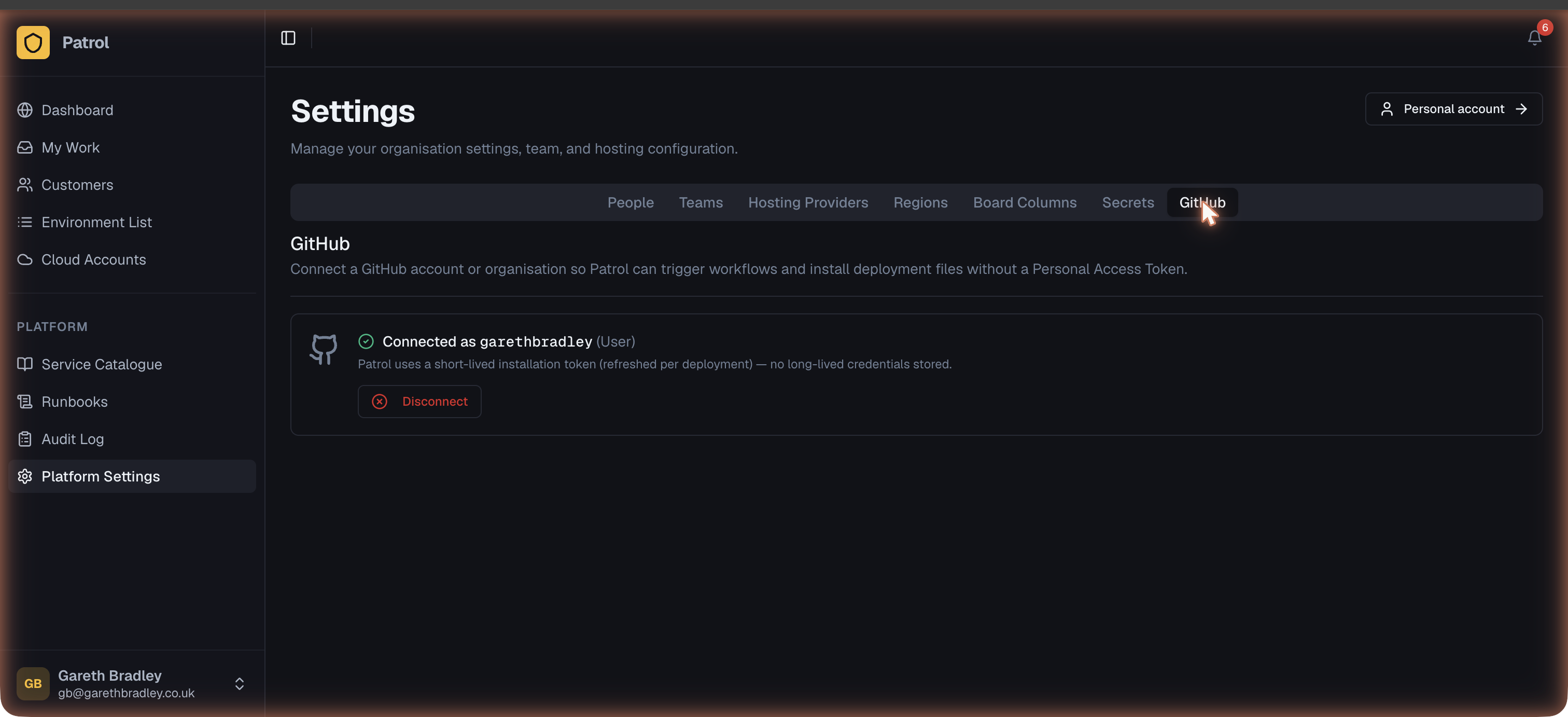
The connected organisation appears with its name and avatar. If you need to grant access to additional repositories later, click Manage on GitHub to open the app’s installation settings.
Using GitHub Actions as a deployment trigger
Section titled “Using GitHub Actions as a deployment trigger”Once GitHub is connected, set GitHub Actions as the trigger type in a service template:
- Open the service template and go to Deployment config.
- Set Trigger type to GitHub Actions.
- Enter the repository (
org/repo) and workflow file name (e.g.deploy.yml). - Add any inputs the workflow expects — these can reference secret parameters from the parameter schema.
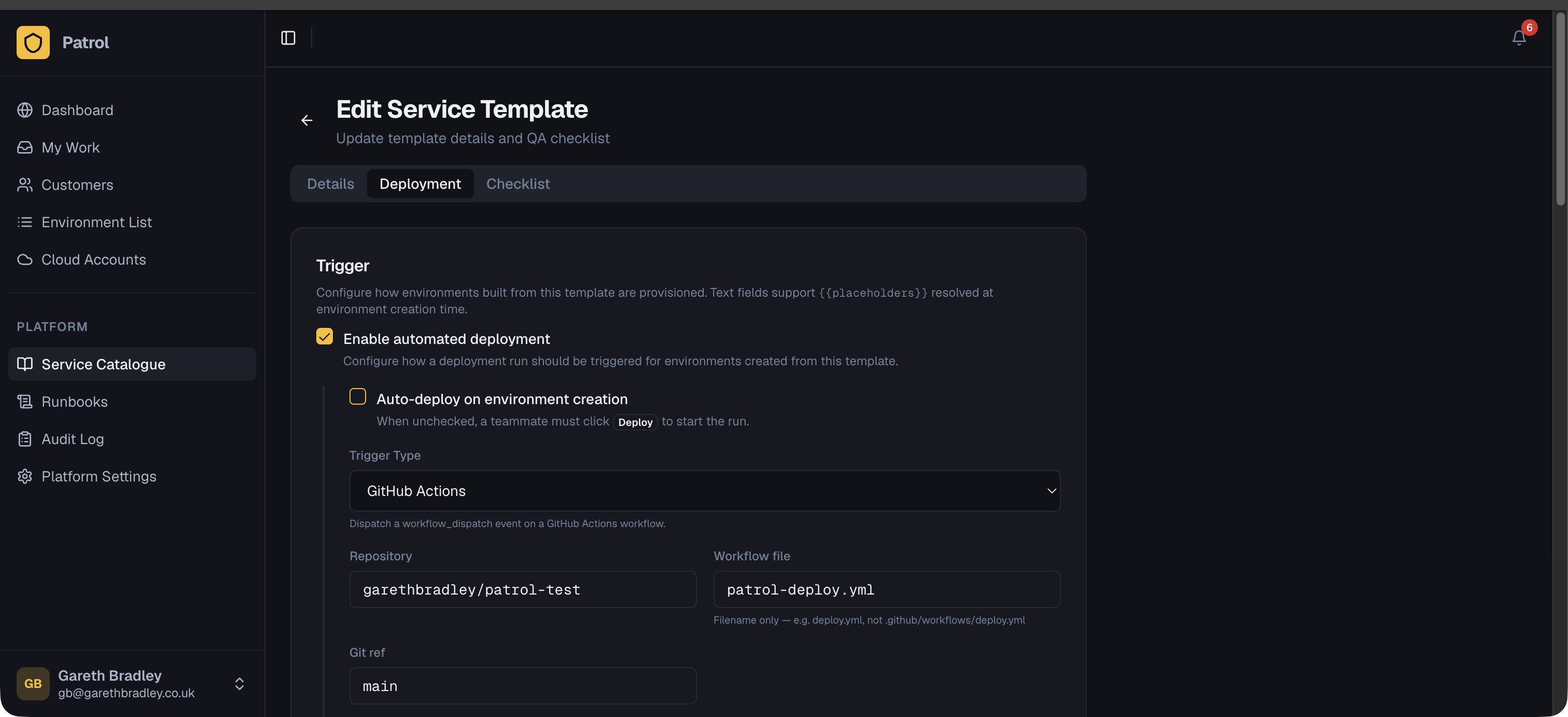
When a deployment runs, Patrol dispatches a workflow_dispatch event with the configured inputs. For async workflows, it polls the run until completion and updates the deployment run status automatically.
Installing the workflow file
Section titled “Installing the workflow file”If the repository doesn’t already have a deployment workflow, Patrol can create one via a pull request:
- In the service template’s deployment config, click Install workflow.
- Patrol opens a PR into the repository with a starter
deploy.yml. - Review and merge the PR. Patrol detects the merge and confirms the file is in place.
Drift check workflows
Section titled “Drift check workflows”For environments using Terraform (or another plan-based tool), Patrol can run drift checks through GitHub Actions in plan-only mode — checking what would change without applying anything.
- Set up a cloud account and adopt a baseline (see Drift Detection).
- On the cloud account, click Install drift check workflow and choose the repository.
- Patrol opens a PR with a
patrol-drift.ymlworkflow that runs withPATROL_MODE=drift_checkset.
Scheduled drift checks trigger this workflow rather than a full deployment.
Disconnecting GitHub
Section titled “Disconnecting GitHub”From Settings → GitHub, click Disconnect. This removes the stored installation token from Patrol. The GitHub App itself remains installed on your GitHub organisation until you uninstall it from GitHub → Organisation Settings → GitHub Apps.