
Runbooks
A runbook is an ordered list of steps that Patrol executes across one or more environments — triggering deployments, calling webhooks, and inserting wait periods between steps. They’re useful for coordinated rollouts, maintenance procedures, and any workflow that needs to touch multiple environments in sequence.
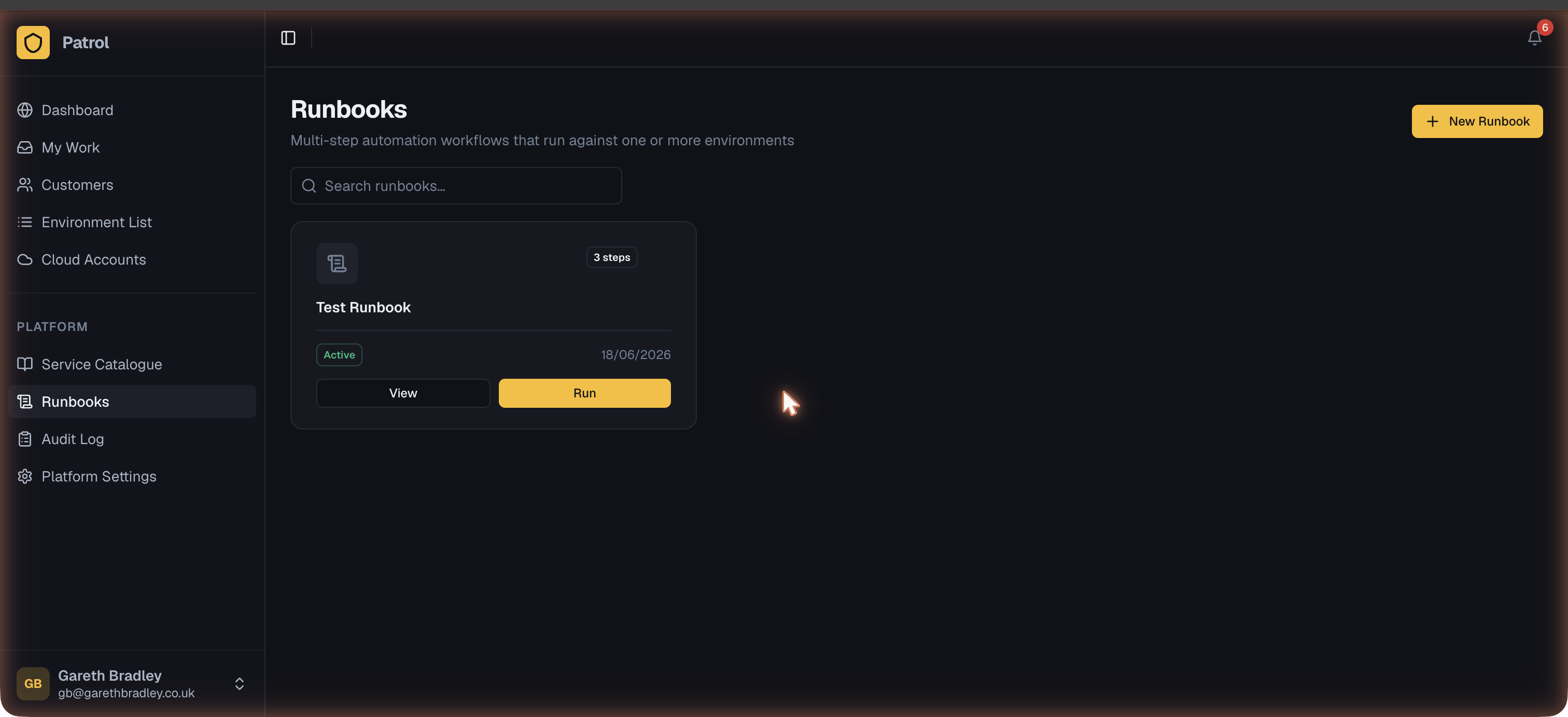
Creating a runbook
Section titled “Creating a runbook”From Runbooks → New Runbook:
- Give it a name and optional description.
- Set status to
draftwhile building it; switch toactivewhen it’s ready to run. - Add steps (see below).
- Optionally define a parameter schema — typed inputs filled in at execution time (e.g. a version number referenced across multiple steps).
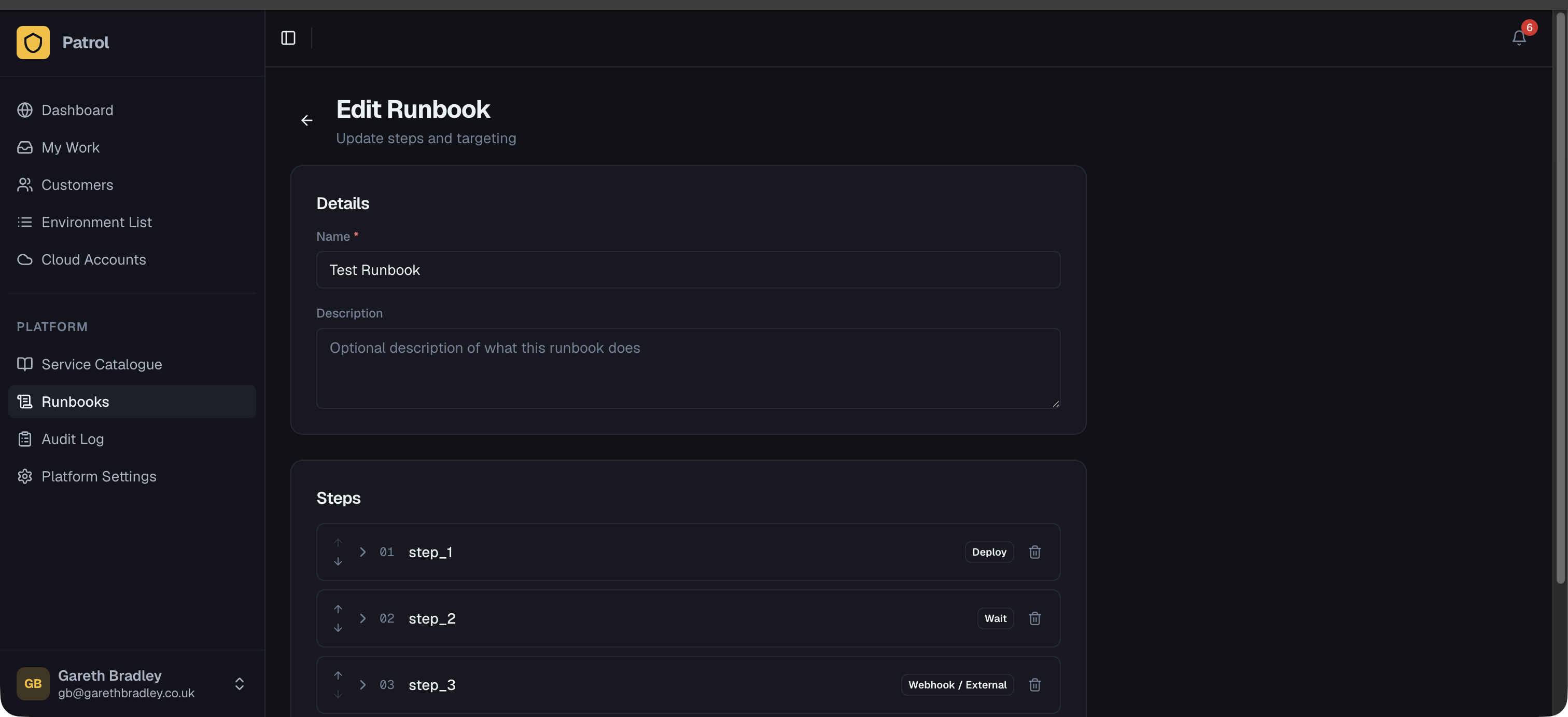
Step types
Section titled “Step types”Deploy
Section titled “Deploy”Triggers a deployment on a set of environments. Configure:
- Target selector — which environments to deploy to (see Targeting below)
- Parameter overrides — values that override each environment’s stored parameters for this run (useful for passing a version number from a runbook parameter)
- Continue on failure — if checked, execution moves to the next step even if this deployment fails
Webhook
Section titled “Webhook”Sends an HTTP POST to a URL. Configure:
- URL — the endpoint to call
- Headers and body — as key-value pairs
- Continue on failure — whether to proceed if the webhook returns a non-2xx status
Pauses execution for a fixed duration before the next step runs. Useful when a deployment needs time to warm up before the next step begins (e.g. a rolling restart that needs 60 seconds for health checks to pass).
Targeting
Section titled “Targeting”Each deploy step uses a target selector to choose which environments it acts on:
| Mode | Description |
|---|---|
| Explicit | Specify individual environments — exact control over which are affected |
| By customer | All environments belonging to a specific customer |
| All | Every environment in your tenant — use with care |
Running a runbook
Section titled “Running a runbook”Open a runbook and click Run. If the runbook has a parameter schema, a form appears first to fill in the values for this execution.
Patrol enqueues the runbook and begins executing steps in order. Each step runs only after the previous one completes (or fails with “continue on failure” checked).
Tracking execution
Section titled “Tracking execution”Open an execution to see per-step progress, timing, and any error messages.
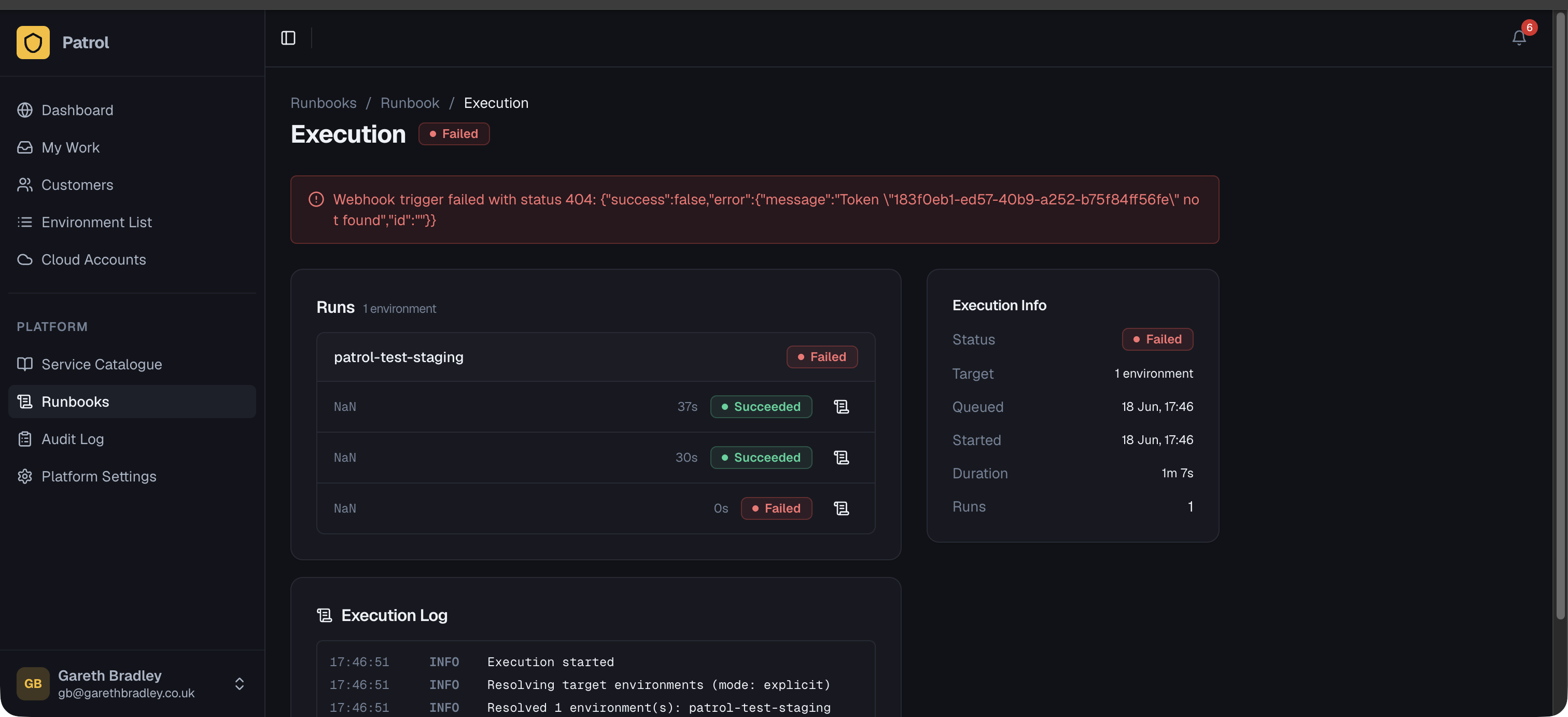
| Status | Meaning |
|---|---|
queued | Waiting to start |
running | Currently executing |
succeeded | All steps completed successfully |
partial | Some steps failed but execution continued (continue on failure was set) |
failed | A step failed and execution stopped |
cancelled | Manually cancelled before completion |
Scheduled runbooks
Section titled “Scheduled runbooks”Runbooks can run on a cron schedule rather than being triggered manually:
- Open the runbook and enable Schedule.
- Set a cron expression (e.g.
0 2 * * 1for 2 am every Monday) and timezone. - Set a default target selector used when no step-level override is set.
Scheduled executions appear in the execution history alongside manual ones.